The DMK review/repair/analysis project is done! Damaged files are labeled damaged, as are copy protected, self booting, special format, etc. In this process, many programs which were missing authors, or which had different version numbers, or missing years, have been updated. A lot of duplicates have been cleared as well.
I want to thank Lawrence Kesteloot, Peter Phillips, and Quentin Barnes for all their help, and for their amazing contributions to the TRS-80 community as well.
There's one remaining project, as an offshoot of all the DMK analysis, still in the work. I am trying to figure out if a DOS (in terms of DOS family, model, and version number) can be discerned from a formatted image, and the best way to test and determine that. This leaves the boot sector, the directory, the IDAM table, density per sector, data marks and CRCs to work from. That will not be enough to discern between closely related versions or OS's (like TRSDOS -> NEWDOS -> VTOS -> LOBO DOS, which is a VERY VERY tight/close geneology because they were written by the same person), but it is showing promise.
TRS-80 News
November 2, 2026 - Site Updates
November 1, 2026 - Site Updates
Since Claude is not afraid to do things out of scope as well, in doing all the analysis and reclassification (which is now complete), it came up with about 1,000 suggestions for the archive. Things like:
That said, the Copy Protection has been finished!
- It found embedded version numbers, years, or authors which differ from the label
- Images which are identical, even if crc-32 different, that should be deleted
- Mixed versions in a single ZIP file / Incorrect Model attribution
- More images to try to repair (now that it knows they are not copy protected).
That said, the Copy Protection has been finished!
October 30, 2026 - Site Updates
All the below projects are done, and I have started the AI analysis of each DMK image to determine factors such as:
- Is it copy protected and if so, how
- Is it a special formatted disk (one which is not DOS addressable/compatible)
- Is it self-booting into its own environment
- Is it a dual boot between the Model I and any other Model
October 29, 2026 - Site Updates
I had to bite the bullet and upgrade to the $100-a-month Claude subscription. There are so many projects to undertake it was just too painful at the $20 a month; let's see how long this can last.
There have been a lot of fixes going on with regard to the site. Model 1 DOS disassemblies were re-vetted against each other and against the ROM. Opus 5.5 picked up over 1,000 items it didn't like. Almost every Model I DOS has now been re-vetted. Only MicroDOS remains at this stage.
The Model 4P Boot ROM and the Diagnostic portion of the XDROM have been broken out into their own separate pages as well, and re-vetted.
Every DMK on the site has also been checked for errors, disclosing when they had some, and permitting repair. As a result, the missing sofware page has expanded now that some images which were actually damaged/deficient have been identified. The biggest oddity is that I have no copy of TRSDOS v6.02.00-AR. I even pulled a 2015 copy of the archive. Every single image I thought I had turned out to be -AN.
Right now, I am having Claude re-verify every NEWDOS/80 zap from every source I have to finally get a set which is known to be OCR correct, with me answering edge cases. This should allow for properly identifying which NEWDOS/80 images are zapped and which aren't, and to what extent if they are. It has currently found errors in the official zap page, by verifying such things as [1] the byte patter to look for appears in no copy of NEWDOS/80 and [2] reviewing what the code does. Changes from the official zaps are being noted, and explained. Additionally, a Model III Zap page has been added. The Model I Zap page (now) also has explanations as to what each zap does.
I plan to have every DMK analyzed for copy protection, for dual boot, for special format (i.e., no directory), and for self-boot, and labeled as such; with hopes of cataloging all found copy protections. This will take a huge amount of credits so it will be last and take a while.
There have been a lot of fixes going on with regard to the site. Model 1 DOS disassemblies were re-vetted against each other and against the ROM. Opus 5.5 picked up over 1,000 items it didn't like. Almost every Model I DOS has now been re-vetted. Only MicroDOS remains at this stage.
The Model 4P Boot ROM and the Diagnostic portion of the XDROM have been broken out into their own separate pages as well, and re-vetted.
Every DMK on the site has also been checked for errors, disclosing when they had some, and permitting repair. As a result, the missing sofware page has expanded now that some images which were actually damaged/deficient have been identified. The biggest oddity is that I have no copy of TRSDOS v6.02.00-AR. I even pulled a 2015 copy of the archive. Every single image I thought I had turned out to be -AN.
Right now, I am having Claude re-verify every NEWDOS/80 zap from every source I have to finally get a set which is known to be OCR correct, with me answering edge cases. This should allow for properly identifying which NEWDOS/80 images are zapped and which aren't, and to what extent if they are. It has currently found errors in the official zap page, by verifying such things as [1] the byte patter to look for appears in no copy of NEWDOS/80 and [2] reviewing what the code does. Changes from the official zaps are being noted, and explained. Additionally, a Model III Zap page has been added. The Model I Zap page (now) also has explanations as to what each zap does.
I plan to have every DMK analyzed for copy protection, for dual boot, for special format (i.e., no directory), and for self-boot, and labeled as such; with hopes of cataloging all found copy protections. This will take a huge amount of credits so it will be last and take a while.
October 25, 2026 - TRS-80 Tool Updated to v4.6.0
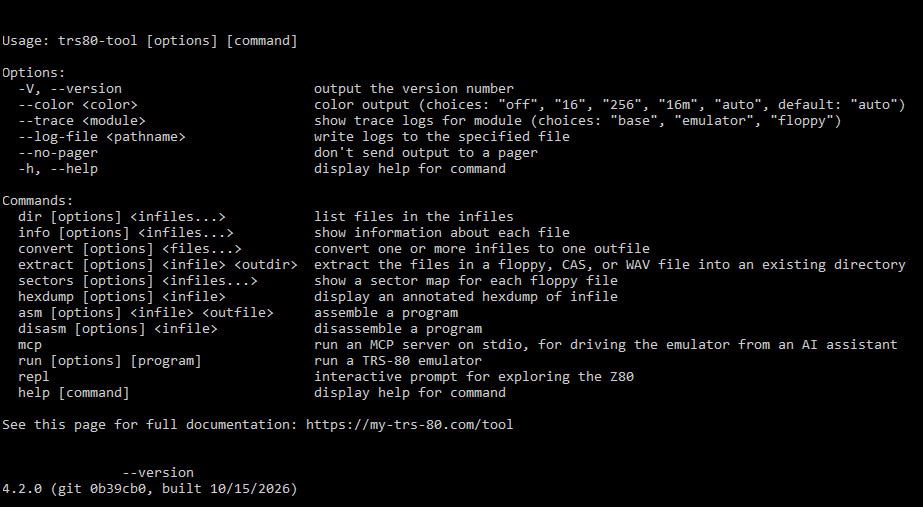
Lawrence Kesteloot has updated his TRS80TOOL to v4.6
The frequent updates are because I am using the tool on the entire archive, to determine which DMK's might be flawed (but never noted as such), which can be repaired, and which are copy protected. As I run continuing iterations, images that need special attention get brought to the surface, and that allows for more versatility. Also, since I am using the tool heavily, Lawrence was kind enough to make some usability updates, including (in this version) making TRS80Tool more like the TRSREAD command line, which permits specifying the files you want to extract, and does NOT require an output directory.
The changelog since v4.4.0 is:
- extract writes to the current directory, or to the directory given by the new --out-dir flag, instead of taking the output directory as an argument. Names after the input file pick which files to extract, and may have wildcards.
- Every command expands wildcards in input file names itself, so they work in Windows’ cmd.exe and PowerShell.
- More robust reading of disk images.
- trs80-tool v4.5.0: Can read HDV hard disk images, with their LDOS 5, LS-DOS 6, and DOSPLUS 3 partitions. dir, info, convert, and extract show each partition’s files in a directory named for the partition.
You can find the instructions at https://www.my-trs-80.com/tool/
Download the updated TRS-80 Tool at https://www.my-trs-80.com/tool/#installation
Source is available at https://github.com/lkesteloot/trs80/tree/master/packages/trs80-tool
October 22, 2026 - TRS-80 Tool Updated to v4.4.0
Lawrence Kesteloot has updated his TRS80TOOL! The changelog since v4.3.0 is:
- run write-protects every floppy, including mounted ones, unless given the new --writable flag, which also saves changes back to their files. The --write-protected flag is gone.
- asm has a new --model flag, and defines constants like __MODEL__ so that source can differ between models.
- Hex dumps and disassembly listings color addresses, bytes, and annotations.
- info --verbose shows the PDRIVE settings of NEWDOS/80 disks.
You can find the instructions at https://www.my-trs-80.com/tool/
Download the updated TRS-80 Tool at https://www.my-trs-80.com/tool/#installation
Source is available at https://github.com/lkesteloot/trs80/tree/master/packages/trs80-tool
October 20, 2026 - TRS-80 Tool Updated to v4.3.0
Lawrence Kesteloot has updated his TRS80TOOL with more robust reading of damaged DMK files.
The changelog since v4.2.0 is:
- dir, extract, sectors, and info have a new --json flag that prints a JSON version of their output.
- sectors --bad omits disks with no bad sectors.
- Can read floppy images with an unreadable boot track.
- convert can no longer be used to disassembles binaries; use disasm instead.
- More robust reading of damaged DMK disk images.
You can find the instructions at https://www.my-trs-80.com/tool/
Download the updated TRS-80 Tool at https://www.my-trs-80.com/tool/#installation
Source is available at https://github.com/lkesteloot/trs80/tree/master/packages/trs80-tool
October 15, 2026 - New CUG Newsletters
Alan Moyer was kind enough to send Pete Cetinski some CINTUG newsletters!
(CINTUG).jpg)
Title:CINTUG Newsletter 1982 Table of ContentsPublisher:CINTUGYear:1982Size:3,116,492Pages:2
(CINTUG)[1982-08].jpg)
Title:CINTUG Newsletter Vol 4 No 08Publisher:CINTUGYear:1982Size:4,391,728Pages:7Notes:1982-08
(CINTUG)[1984-04].jpg)
Title:CINTUG Newsletter Vol 6 No 04Publisher:CINTUGYear:1984Size:15,960,503Pages:9Notes:1984-04
October 15, 2026 - New Software
Irwin Burton has provided some additional software! He writes
I've recently been playing around with the HELPMATE program, originally written by Daniel Zenzel, Jr. in September 1985 and published in 80-Micro, May 1986, p.49. This is a program that allows the user to created and/or edit THSDOS/LS-DOS HELP files.
I've been able to update some of the features in the program program and most importantly, I've been able to convert it to work on LDOS 5 since it also uses HELP files with basically the same format as the 6.x files.
I also was able to modify the programs a bit so that they compile with the Misosys EnhComp BASIC compiler into CMD files that run a bit faster on my machine.
Anyway, I thought others might enjoys seeing these program so I'm sending a DMK with my modified programs on it for your perusal.
October 15, 2026 - TRS-80 Tool Updated to v4.2.0
Lawrence Kesteloot has updated his TRS80TOOL to basically become the TRS-80.com recommended tool for disk extraction. Lawrence has been kind enough to keep analyzing the 8,800 DMK images in the archive until divergences hit zero.
The process was that I extracted every image using TRSRead, VDISK, and TRS80TOOL. Those extractions were then analyzed for [1] differences in the number of files extracted (including 'none') and [2] differences in CRC-32 calculations among the three. In cases of differences, if there were cases where TRSRead and VDISK agreed on a CRC32 which TRSTOOL did not, those were flagged for Lawrence.
In the end, TRS80TOOL leads the tools in extractions.
You can read about the new functions DIR and EXTRACT at those links.
The changelog since v3.0.0 is:
- Can read Model II disks: Model II TRSDOS 1.x and 2.0, TRSDOS-II, DOSPLUS II, the Model II’s CP/M formats (standard 8-inch, Lifeboat, Aton, Pickles & Trout, and CP/M Plus), and Xenix disks that hold a tar archive.
- Can read FMG’s UCSD Pascal disks for the Model I. extract converts their text files to plain text, unless given the new --ucsd-pascal-raw flag.
- Can read more CP/M disk formats.
- More robust reading of damaged and copy-protected disk images.
- The extract command no longer overwrites files whose names differ only in case; it adds “(2)” etc. to the output filename.
- Can read ImageDisk (IMD) floppy images, and disk images of Percom MicroDOS for the Model I. Reads more TRSDOS-family disks, and more robust reading of damaged disk images. extract writes damaged files anyway and says what’s wrong with them, with a new --mark-damaged flag to mark their names, and a new --lowercase flag for lowercase file names.
- New extract command extracts the files of a floppy or cassette into a directory. convert no longer does this.
- Can read disk images of Model 1 TRSDOS 2.7DD/2.8 and Model 4 Digital Research's CP/M Plus. More robust reading of damaged or unusual disk images.
- Clip CP/M text files at their Ctrl-Z, with a new --cpm-records flag to keep whole records. Improve support for Montezuma and Holmes Engineering CP/M.
- Support reading files from Lifeboat CP/M 1.4 disk images for the Model I.
- Read HFE floppy images (HxC and Gotek), version 1.
- Better decoding of damaged disk images.
- Support reading files from Montezuma Micro CP/M 2.2 disk images for the Model 4.
- When a floppy’s operating system isn’t recognized, convert fails instead of copying the disk image to the output directory.
You can find the instructions at https://www.my-trs-80.com/tool/
Download the updated TRS-80 Tool at https://www.my-trs-80.com/tool/#installation
Source is available at https://github.com/lkesteloot/trs80/tree/master/packages/trs80-tool
October 13, 2026 - New Game - ILLES URSZEKEREI
(Gabor-Kepes)[M1].gif)
Gabor Kepes has released a new game for the TRS-80 (well, for the HT-1080Z), called ILLES URSZEKEREI. It is a reproduction of the Vic-20 game Omega Race.
You can download it from https://gaborkepes.itch.io/illes-urszekerei
October 12, 2026 - DMK/DSK Image Processors Being Tested
With Lawrence's massive update to TRSTOOL, I wanted to see the fidelity across TRSREAD, VDISK, and TRSTOOL. This involved expanding my "export every DMK and gather up the resulting CRC-32's" program, which I use to check for duplicates, into one which would export every DMK using each of the 3, and then compare them to see, for example, if one extracted a different number of files than the other or if the CRC32 of extracted images were different, and which program out of the 3 was the odd man out.
There are 8,810 images in the test group and the results have been disturbing. There are a lot of images where VDISK and TRSTOOL agree and TRSREAD, the program I have been relying on for decades, did the bad extraction.
Since VDISK is no longer being developed, I am working with Lawrence to see where TRSTOOL might possibly be breaking, based on the odd man out; in hopes that TRSTOOL will become the highest fidelity tool for this. To its credit, TRSTOOL was only 'odd man out' on 7 images, and 3 of those were because the images were broken; so extraction fidelity is likely not going to be its problem. Images which either TRSREAD or VDISK do extract but which TRSTOOL cannot are being fed to Lawrence.
This is also having a side effect of letting me label which disks are either 'copy protected' or 'special format', something David S has been asking me to do for years.
Lawrence is actively updating his TRSTOOL during these tests, so hold tight on any upgrade to the latest on that for a bit. I have also asked Peter Philips to look into a few images where TRSRead is clearly failing, in case he might be able (and willing) to update Matthew Reed's TRSREAD utility.
There are 8,810 images in the test group and the results have been disturbing. There are a lot of images where VDISK and TRSTOOL agree and TRSREAD, the program I have been relying on for decades, did the bad extraction.
Since VDISK is no longer being developed, I am working with Lawrence to see where TRSTOOL might possibly be breaking, based on the odd man out; in hopes that TRSTOOL will become the highest fidelity tool for this. To its credit, TRSTOOL was only 'odd man out' on 7 images, and 3 of those were because the images were broken; so extraction fidelity is likely not going to be its problem. Images which either TRSREAD or VDISK do extract but which TRSTOOL cannot are being fed to Lawrence.
This is also having a side effect of letting me label which disks are either 'copy protected' or 'special format', something David S has been asking me to do for years.
Lawrence is actively updating his TRSTOOL during these tests, so hold tight on any upgrade to the latest on that for a bit. I have also asked Peter Philips to look into a few images where TRSRead is clearly failing, in case he might be able (and willing) to update Matthew Reed's TRSREAD utility.
October 11, 2026 - TRS80GP Overlay v1.1
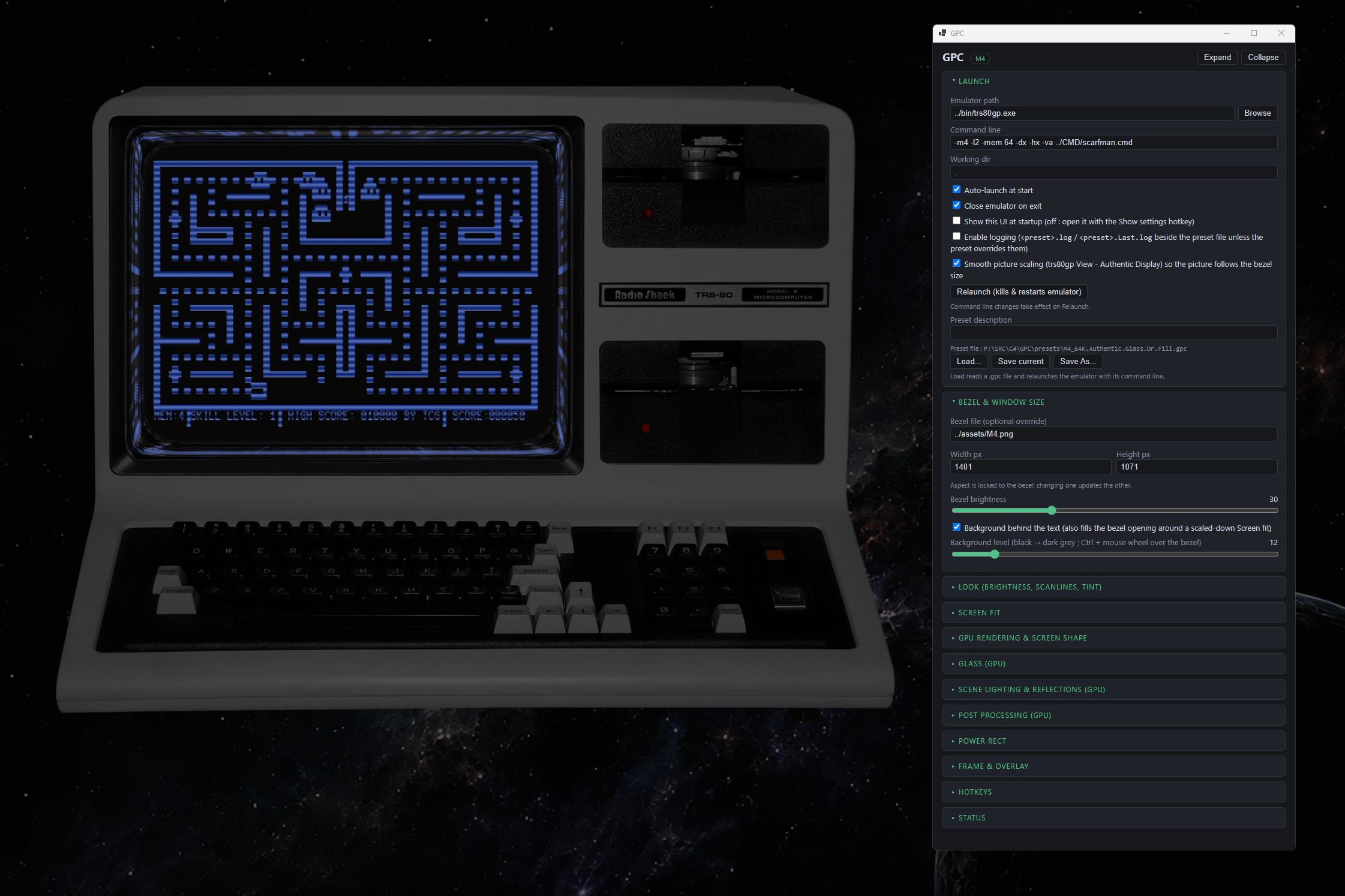
A writable folder for presets is mandatory, as GPC saves settings and logs.
A sample command line is: bin\GPC.exe presets\M3.48K.Cheap.gpc
You can find the download and instructions at https://github.com/FastDogJo/GPC
October 11, 2026 - TRS-80 Tool Updated to v3.0.0

UPDATE: This version has been superceded.
Lawrence Kesteloot has updated his TRS-TOOL to include dsk/dmk reading. Changelog is:
- v2.9.1: Added a --json flag to the info command.
- v2.9.2: New tools in the mcp server: record_start and record_stop record an MP4 of the screen, screenshot writes a PNG, and mount_disk and reset let an assistant boot a machine with several floppy disks in it.
- v3.0.0: Much better reading of floppy disks. The dir, info, convert, and sectors commands now read disks from TRSDOS 2.0–2.3, 2.3B, and 3.0; TRSDOS 1.2 and 1.3; TRSDOS 6.0–6.2 and LS-DOS 6.3; LDOS 5.0–5.3; DOSPLUS 3.1–3.5 and DOSPLUS IV; NEWDOS 2.1, 2.2, and 3.0; NEWDOS/80 1.0 and 2.0; MultiDOS 1.0–2.0; VTOS 3.0 and 4.0; UltraDOS 4.1 and 4.2; Percom DoubleDOS 4.2; and RAPIDOS 1.3, single- or double-sided, in single, double, or mixed density. info names the DOS and its version from what the disk says about itself.
- v3.0.0: The dir, info, sectors, hexdump, and disasm commands send their output to a pager, with colors intact, when it’s going to the terminal. See Usage to choose the pager or turn it off.
- v3.0.0: The dir command colors its output using the LS_COLORS and EZA_COLORS environment variables. The tool also honors NO_COLOR.
You can find the instructions at https://www.my-trs-80.com/tool/
Download the updated TRS-80 Tool at https://www.my-trs-80.com/tool/#installation
Source is available at https://github.com/lkesteloot/trs80/tree/master/packages/trs80-tool
September 30, 2026 - Archive Search Updates
The Archive Search page has been updated to add little magnifying glasses next to authors and publishers in each search results. Clicking on those will re-do the search using that author or publisher, so you can see other software by the same entities.
This required a substantial audit of author names and publishers. There are a few publishers that used multiple names for various purposes, such as Programma International and Programma Corporation, and those will not be treated as the same. Thankfully, this affects only a handful of publishers.
September 22, 2026 - New Software
CYB2000 was kind enough to dump and scan Blockade.
Blockade - Joseph Moran / Acorn
Software
(Joseph-Moran).jpg)
Model: I Type: WAV/CAS
Manual
(Joseph-Moran-Acorn-Software-Products).jpg)
September 22, 2026 - TRS-80 Trash Talk Live # 50
TRS-80 Trash Talk Live #50 is shcheduled for Saturday, September 26, 2026 at 6:00PM Pacific Daylight Time
You can watch on the TRS-80 Trash Talk channel: https://www.youtube.com/channel/UCXkGugvdCkpkMDylVQb9gfg
This will include a detailed rundown of next week’s Tandy Assembly so if you are speaking or exhibiting at TA please try to join us and tell the community about what you will be speaking or exhibiting.
If you want to participate in the live zoom session, reach out to trs80trashtalk at gmail dot com for information.
September 20, 2026 - Funsoft Source Code
Jenz Guenther was kind enough to let me know that Yves Lempereur has released the assembler source of his TRS-80 Model I/III games!
- Time Runner
- Mad Mines
- Apple Panic
- Bable Terror
- Aliens Eggs
- Limit Zero
- Black Hole
You can find Yves' Github at https://github.com/ylempereur?tab=repositories. Note: These files are in ASCII as they are for research.
Thank you, Jenz (and Yves!)
September 19, 2026 - Site Updates
- A kind member of the TRS-80 community let me read about 250 disks, which have been added to the archive information.
- The ad copy and missing files have both received a major update thanks to the Radio Shack Sourcebooks.
September 16, 2026 - New Simulator
Richard Merryman has let me know of a Level II BASIC interpreter written in GNU awk
David Forbis posted on Reddit that he has written a Model I/III Level II BASIC interpreter co-written with Claude in GNU awk which aims at the behavior of the Model I machine, not just the language: the same error codes and number formatting, the ROM's RND generator, and the 64x16 pseudo-screen with semigraphics drawn in a virtual terminal. It's mostly Level II BASIC, but he added some Disk Basic features where he found good uses for them.
You can find the project at https://github.com/davidscan/trs80basic
September 10, 2026 - TRS-80 Tool Updated to v2.9.0
Lawrence Kesteloot has completed a very unique upgrade to this TRS-80 Tool: AI MCP. He writes that the new routine:
Runs an MCP server on stdin/stdout, which lets an AI assistant drive a TRS-80 directly. The assistant can boot a ROM, type at it, run it for an exact number of clock cycles, and inspect the screen, memory, and registers. The machine stays running between requests, so the assistant can explore interactively instead of guessing.
You don’t run this command yourself. Your AI tool starts it for you, so what you do is tell that tool about it.
The MCP can:
- boot — start a machine, either with the stock Basic ROM or with a .cmd file that replaces the ROM.
- load_program — load and start a program file on the running machine.
- type — type text at the keyboard, waiting until the ROM has taken every key.
- key — press or release a single key and leave it that way, for programs that care whether a key is held down.
- run — run for a number of clock cycles or emulated seconds.
- step — single-step the CPU.
- run_until_pc — run until the program counter reaches an address.
- run_until_screen — run until some text appears on the screen, and report how long it took. This is how you time a Basic program.
- screen — read the screen as text.
- read_memory, write_memory, registers.
- search_memory — find a byte sequence, for locating code in ROM.
- disassemble — disassemble straight out of memory, ROM included.
- profile_pc — run for a while and report where the program counter spent its time, as a histogram of the hottest addresses.
- call_routine — call a machine-language routine with chosen registers and report exactly how many clock cycles it took, the way another program calling it would see it.
You can find the instructions at https://www.my-trs-80.com/tool/#mcp.
Download the updated TRS-80 Tool at https://www.my-trs-80.com/tool/#installation.
Source is available at https://github.com/lkesteloot/trs80/tree/master/packages/trs80-tool
September 9, 2026 - New Software
"CYB 2600" has provided some additional software! Thank you!
(Southern-States-Systems).gif)
Title:Battle Games Year: 19xx Model: Level 1 Model I Publisher: Southern States Systems
Title:Battle Games Year: 19xx Model: I Publisher: Southern States Systems
(Joseph-Moran-Acorn-Software)[M1].gif)
Title:Blockade Year: 1979 Model: I Author: Joseph Moran Publisher: Acorn Software Products
Title:System Savers Year: 1978 Model: I Publisher: Acorn Software Products
September 9, 2026 - New Software
Gabor Kepes has developed Planet Makruk for the HT-1080Z. It works on the TRS-80.
Planet Makruk (2026)
Software
(Gabor-Kepes)[M1].gif)
Model: I Author: Gabor Kepes
Manual
(Gabor-Kepes).jpg)
You can find more information about it at https://gaborkepes.itch.io/planet-makruk
TRS8BIT - Vol 20, No. 3
(Dusty).jpg)
Issue Information:
| Date: | September 2026 |
| Pages: | 78 |
| Blurb: | In this issue, George and Peter Phillips release details of their latest version (2.5.8) of trs80gp. Ian Mavric has details of the speakers for the forthcoming T.A. 2026. He also warns us that it’s tough times ahead for retro-computer lovers.
Check-out page 11 if you’re interested in some U.K. hardware bargains. Randy Kindig starts a series transcripts of ‘Floppy Days’, with episode 8, part 1. E.T. Fonehume has a BASIC one-liner displaying a Kaleidoscope. Egotiz Campo reports on the latest Basgue, TRS-80 Tournament. Vince Otten supplies part 7 “Double Trouble” of his series “The Power of the ROM”. In the regular feature ‘The Way We Were’, there’s an interesting software upgrade for the System80/Video Genie’s. There’s a couple of interesting finds in ‘Surfin the Net’. And finally, there’s the latest puzzle in our ‘Countdown’ series. |
Table of Contents
| 02 | TRS80GP - Latest upgrade details: Version 2.5.8, adding paste macros for macOS and Linux and a disk summary that can show likely empty sectors, by George & Peter Phillips |
| 04 | Tandy Assembly 2026: Latest news and details of speakers for this year's event which is being held on the 2nd to the 4th October 2026 in Cincinnati, OH. Are you lucky enough to be going?, by Ian Mavric |
| 11 | For sale - Large donation given to the site: I'm looking for offers as a 'job lot' please. (Re-sell on eBay and tripple your money! Or just increase you collection!) Buyer to collect, estate or small van needed!, by Unattributed |
| 18 | Floppy Days - Transcript, Episode 8, Part 1: TRS-80 Model I history, part 1, plus part 1 of the interview with David and Teresa Welsh, authors of 'Priming the Pump', by Randy Kindig |
| 31 | Kaleidoscope: Another fantastic BASIC one-liner. I'll mention the 'fun' George and I has with it, on the next TTLive event!, by E.T. Fonehume |
| 34 | XII Basque TRS-80 Tournament: Here are the result from the latest competition, by Egoitz Campo |
| 38 | The Power of the ROM: Part 7 of Vince's series, 'Double trouble', by Vince Otten |
| 59 | The Way We Were: A look back to 'the day' with an interesting software upgrade for the Video Genie/System-80, by Andrew Howard |
| 70 | 'Countdown' Quiz: Can you work out the answer in under 30 seconds?, by Unattributed |
| 74 | Tough times for retro computer buyers: More 'sad' news of retro computer lovers, by Ian Mavric |
You can download it from http://TRS-80.org.uk/.
August 31, 2026 - TRS80GP Updated to v2.5.8
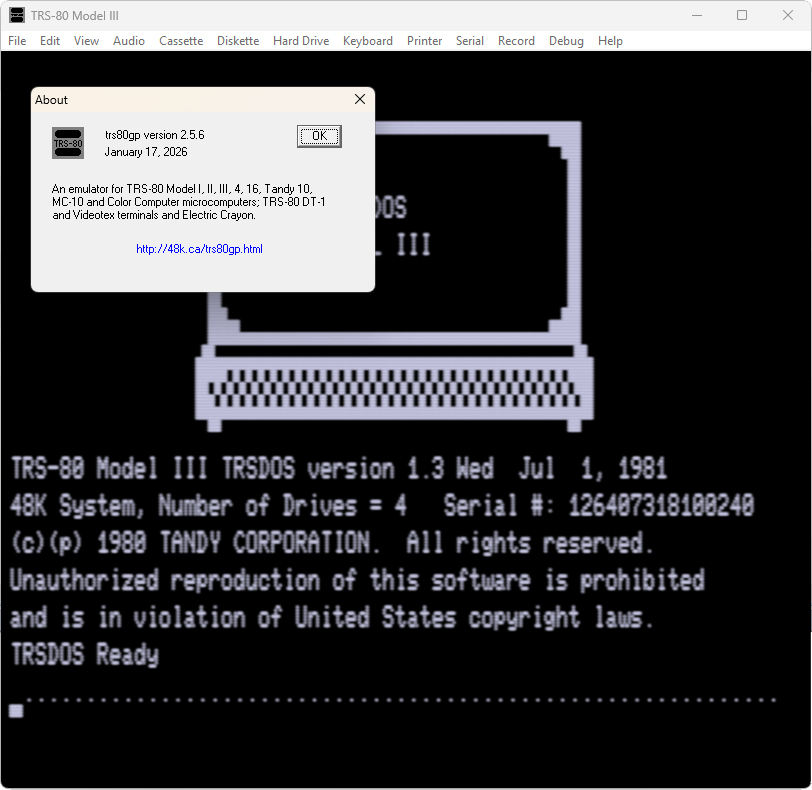
George and Peter Phillips have updated their awesome TRS80GP emulator to v2.5.8. Changes are:
New Features:
- MX-70 now has printer sound effects on Mac.
- Disk summary has option to show likely empty sectors
- Command line -im disksummary and -im disksummarye output disk image summaries
Bug Fixes:
- Reset FDC on Model I reset button press
- Model 4P defaults to having hires Tandy graphics
- FreHD always given short file names on Windows even when it refuses
- Don't force cursor off when directly loading /CMD files
- File Utility was crashing on Model 2 systems under MacOS
You can download it at http://48k.ca/trs80gp.html
August 31, 2026 - New Software
Alex Mota has written a utility to identify which memory blocks are occupied on a Model I
(Alex-Mota)[M1].gif)
Title:Map Mem [Identify which memory blocks are occupied] Year: 2026 Model: I Author: Alex Mota
August 24, 2026 - CalvaDOS for the Genie III
Egbert Schroeer has lt me know that he has gotten CalvaDOS reconstructed and running on a real physical Genie III
You can see his write-up at https://github.com/Egbert-Azure/TCS-Trommeschlaeger-Genie-IIIs-CalvaDOS
August 23, 2026 - Fixed Software
Claude continues to amaze me. I had the below software as "Can't figure it out". It turns out that Info Cras needed a "Security Disk" and Test Bank System kept rebooting because was looking for protection on the disk.
Claude examined the files, determined the protection, and built not only a cracked file, but also built the associated DMK's with the required security so that a crack wasn't neccessary. The below include all those, including its analysis; for those who are curious.
(The-Bottom-Shelf)[M1].gif)
Title:Info Cras Year: 1979 Model: I Publisher: The Bottom Shelf
(Atherton-and-Dayton).gif)
Title:Test Bank System v3.01 [Protected] Year: 1983 Model: III Author: Atherton + Dayton Publisher: Advanced Technology Applications
August 21, 2026 - Site Updates
I have updated the Software Search expanded results page to include the text of an ad applicable to the product, if available. This is also a searchable field.
August 17, 2026 - TRS-80 Emulator for Android
The team behind the Android TRS-80 emulator has pushed a brand new version of the TRS-80 app with a new and streamlined UI
You can find it at https://play.google.com/store/apps/details?id=org.puder.trs80
August 15, 2026 - PC-3 Service Manual
R Pickett was kind enough to provide the missing PC-3 Service Manual!
(Tandy)[RS26-3590].jpg)
Title:PC-3 Pocket Computer Service ManualPublisher:TandyYear:19xxSize:23,492,220Pages:20Notes:RS26-3590
August 10, 2026 - Site Updates
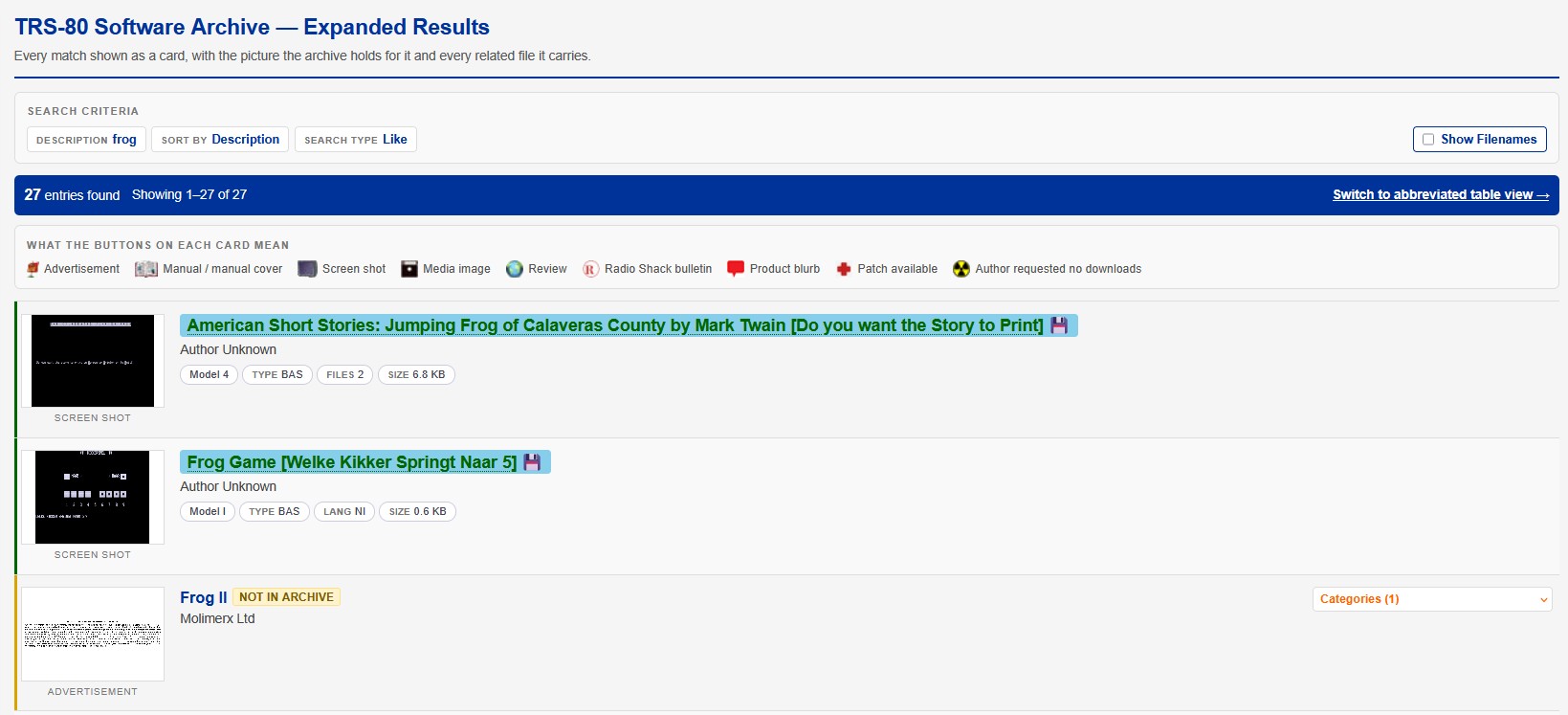
I have updated the Software Search results page to permit for the same expanded results as are shown on the category results page, so now you can choose between the single line and the expanded when getting results.
August 10, 2026 - Tandy Assembly 2026

Well, it’s less than 2 months until Tandy Assembly 2026 folks (Oct 2 - Oct 4, 2026 in Cincinatti)! The speaker schedule is booked, the Friday Tech Track track classes are all assigned and the planning is proceeding on target. If you’re not aware, we’re at a new venue this year just outside of Cincinnati, Ohio. Very convenient to the airport for those that fly in…in fact, we’re at the airport!To get more information, visit the Tandy Assembly Web site
The new venue is also quite a bit larger so you can have multiple tables this year if you plan on exhibiting or becoming a vendor. For vendors, we have some new rules that you need to follow so please be aware of that. See the website for details.
More details will follow as the show date approaches so please watch your inbox.
If you have not yet registered, please do so soon so that we have a good idea of how much space we will need to configure at the venue.
Remember, all exhibitors, sponsors and Tech Track attendees will be invited to the Friday night onsite dinner. Others can attend the dinner for $20 additional cost.
Send any questions to this email address.
Take care and we’ll see you in October!
August 3, 2026 - New Manual
The manual for the Exatron MM-800 64K RAM Board was found!
(Exatron).jpg)
Title:MM-800 64K RAM BoardPublisher:ExatronYear:1982Size:13,985,507Pages:29
August 1, 2026 - Site Updates
If you are bored, or want to help out the site, visit the categorization project page and categorize some of the archive! You can jump to various pages, or a random one, a letter of the alphabet, or search. Do as much or as little as you want!
Update: Thanks for everyone who has submitted! Only 26,752 more to go!
July 30, 2026 - GW2DMK for Mac released
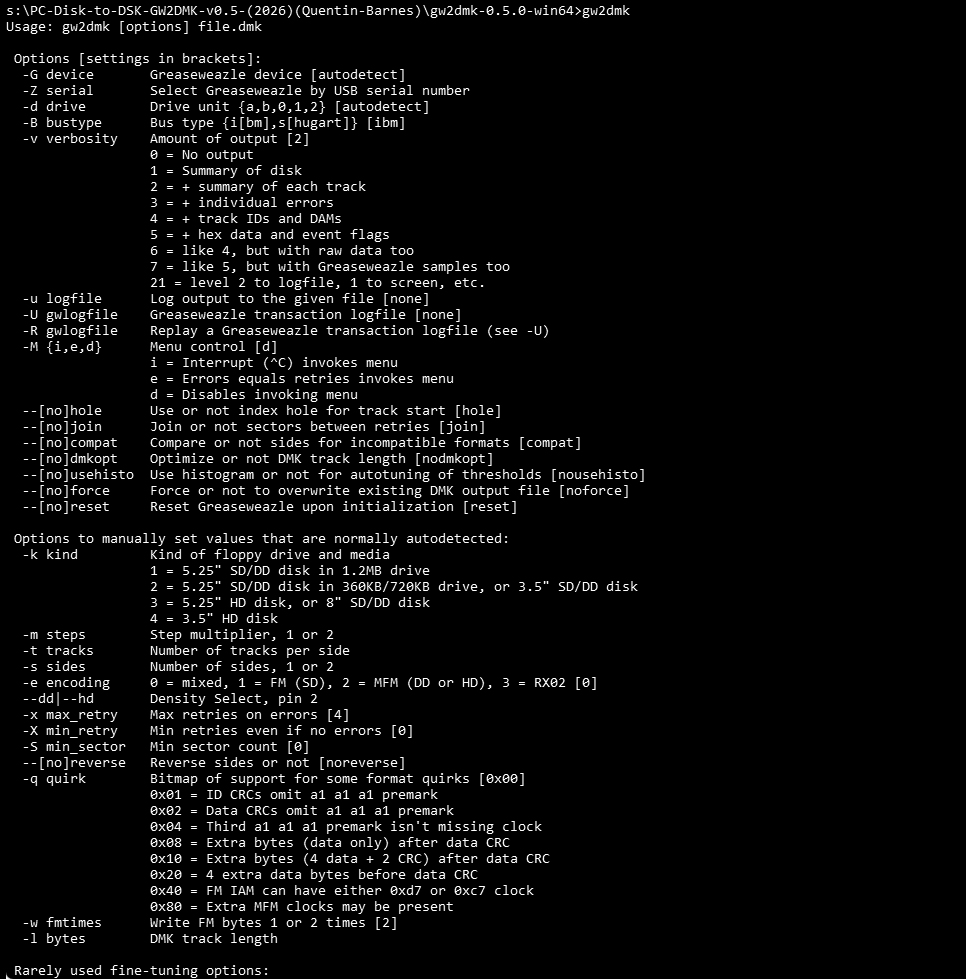
Quentin Barnes has released GW2DMK for the Mac.
You can find it at https://github.com/qbarnes/gw2dmk/releases/tag/v0.5.1.
July 30, 2026 - TRS80Tools Updated to v2.8.12
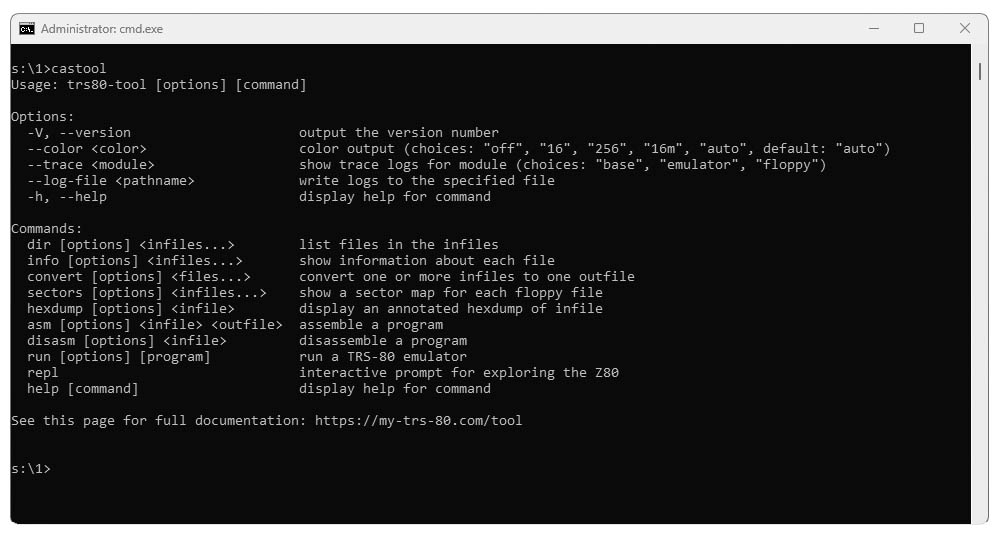
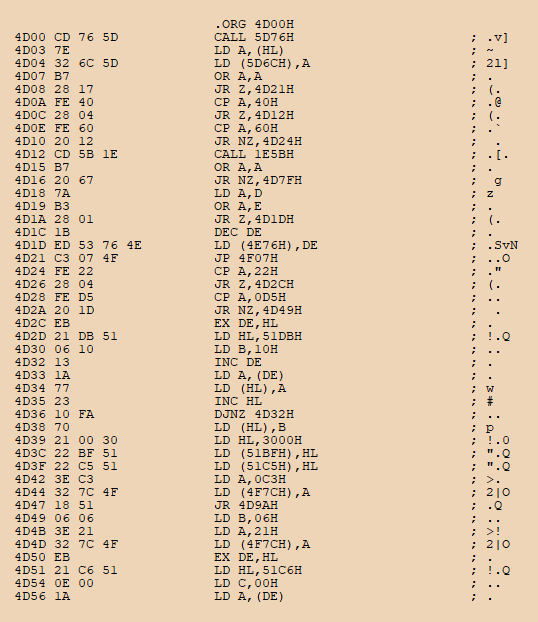
Lawrence Kesteloot has released an updated copy of his trs80tools, now new version 2.8.12, with updates to the disasm command as follows:
- The input file is detected by its contents, not the filename extension, so that FLT, DVR, and OV? files will be treated like CMD files.
- CAS and WAV files can be disassembled directly. If multiple programs are on the cassette, only the first will be disassembled.
- The --full flag now no longer causes jump targets to be disassembled. The assumption is that all code is sequential.
You can download it for the Windows, Mac, and Linux at https://www.my-trs-80.com/tool/#installation.
July 28, 2026 - Site Updates
- Model I LDOS v5.3.1 has been fully disassembled. You can find the main page here.
- Thanks to Anthropic giving everyone a $100 credit to use Fable 5, I have managed to identify all patches. The Patch Page now includes all unsorted patches I had, and to the extent that they needed to be matched with a specific program version or DOS version, they have been.
- The Software Search page has been updated with an additional icon. If a program has patches, a little icon pops up in the right icon grouping to allow for download of those patches.
July 26, 2026 - New Model I Game - LEO25
(Gabor-Kepes).jpg)
Gabor Kepes has written a new game for the TRS-80 Model I and HT1080Z called LEO25. He is asking people to try it out and report any bugs
You can download a DSK of the game at https://gaborkepes.itch.io/leo25.
July 24, 2026 - GW2DMK Updated
Quentin Barnes has updated his GW2DMK Utility v0.5 noting the following changes:
- USB bus scanning for the Greaseweazle should now work. No need to always specify -G|--device option.
- Autodetect floppy drive when -d|--drive option not given.
- New -Z|--serial option to give a GW serial number if more than one GW.
- New -B|--bustype option to specify type of floppy cable (ibm or shugart).
- New -C|--config|--noconfig options to specify an INI file (or disable it) for default arguments. See the man pages under section "CONFIGURATION FILE" for details.
- The -R|--replay option is now implemented. Uses -U logfiles instead of a level 7 -u logfile like in cw2dmk.
- -y|--testmode
- -h|--hd
- -f|--fillmode
- -p|--precomp
- -a|--rateadj
- --dither
This wonderful program uses the still-being-manufactured Greaseweazle instead of the defunct Catweasel, to create DMK images from real disks. This utility permits caching of good sectors to rebuild damaged tracks, making it far superior to any other method of archiving.
You can see entire GITHUB project at https://github.com/qbarnes/gw2dmk. For those who want a faster download, you can download all OS releases (Linux: ARM Arch64, ARMv7l, x86_64 and Windows: 32- and 64- bit), including source code, from here.
July 15, 2026 - Model I Case and Bezel
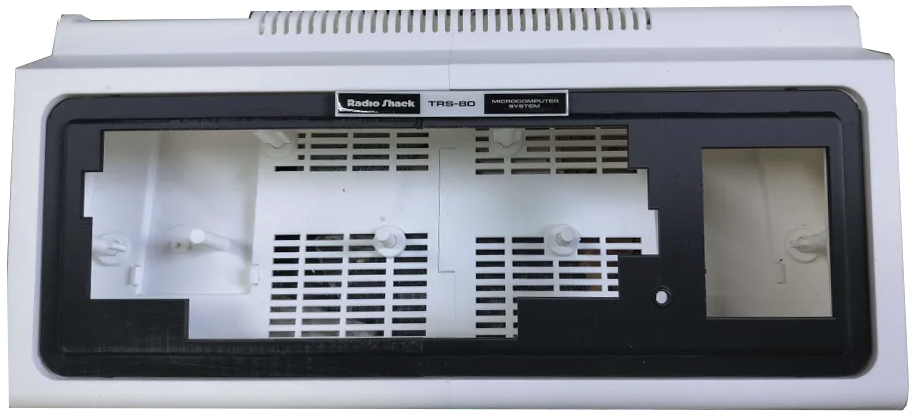
Dusty has unveiled his Model I Case with Bezel and Badge product! He also has put up a web page --- https://dustysvintageworkshop.com/.
You can see all of his EXTREMELY impressive work on that site! e-Commerce to come at some point.
July 10, 2026 - 3-D Printer Model I Case - 2 on eBay
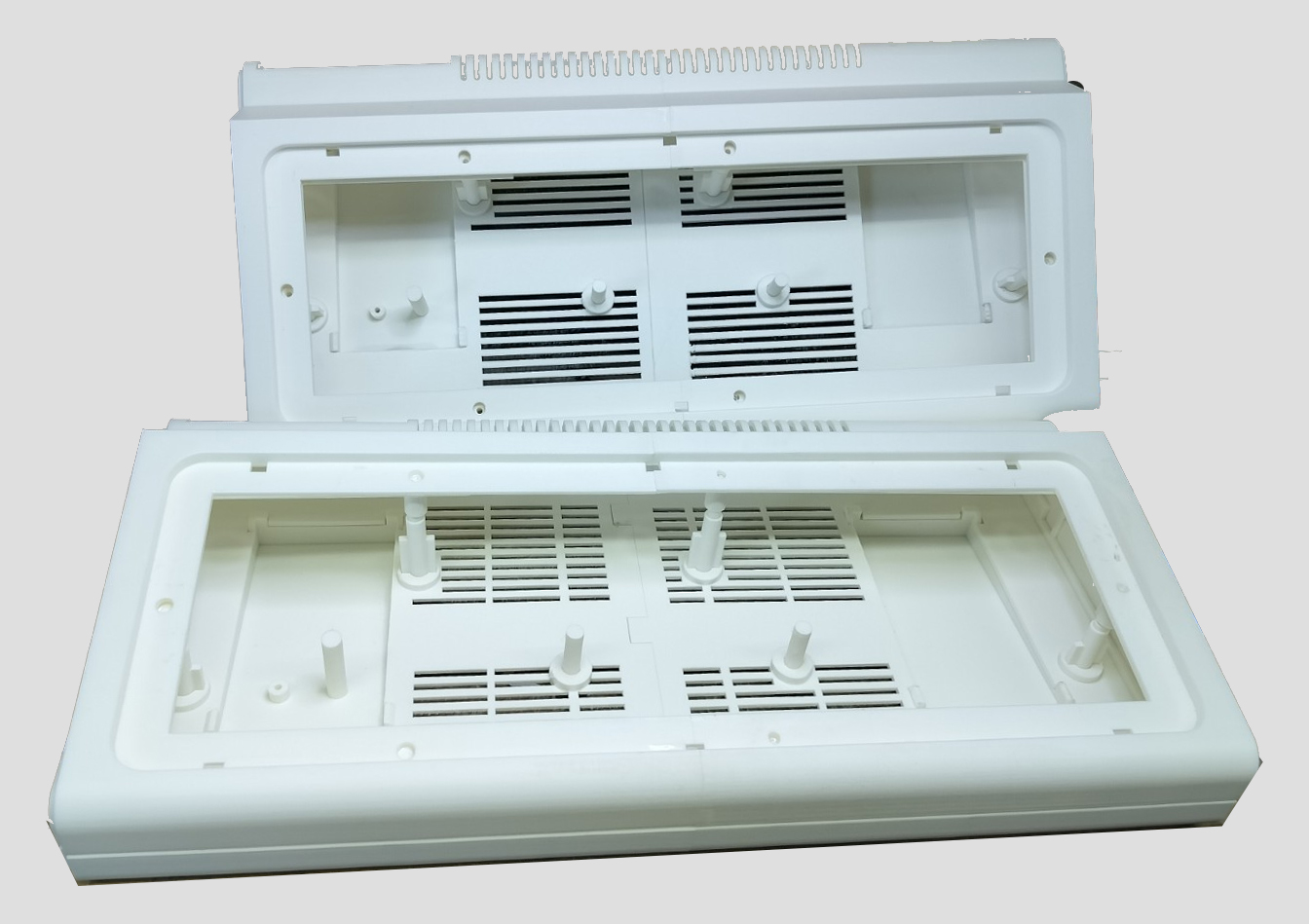
Dusty of Dusty's Vintage Workshop has two (2) finished model I replacement cases for sale
July 8, 2026 - LDOS v5.3.0 for the Lobo Max-80
Scott Toenniessen has provided LDOS v5.3.0 for the Lobo Max-80.
You can download it here
I have no way of testing this image.
July 5, 2026 - 3-D Printer Model I Case
.jpg)
Dusty of Dusty's Vintage Workshop has been fine-tuning his 3-D printable Model I case, and has released the STL files and builder's guide.
You can download it here
July 4, 2026 - Expansion Interface Revision D
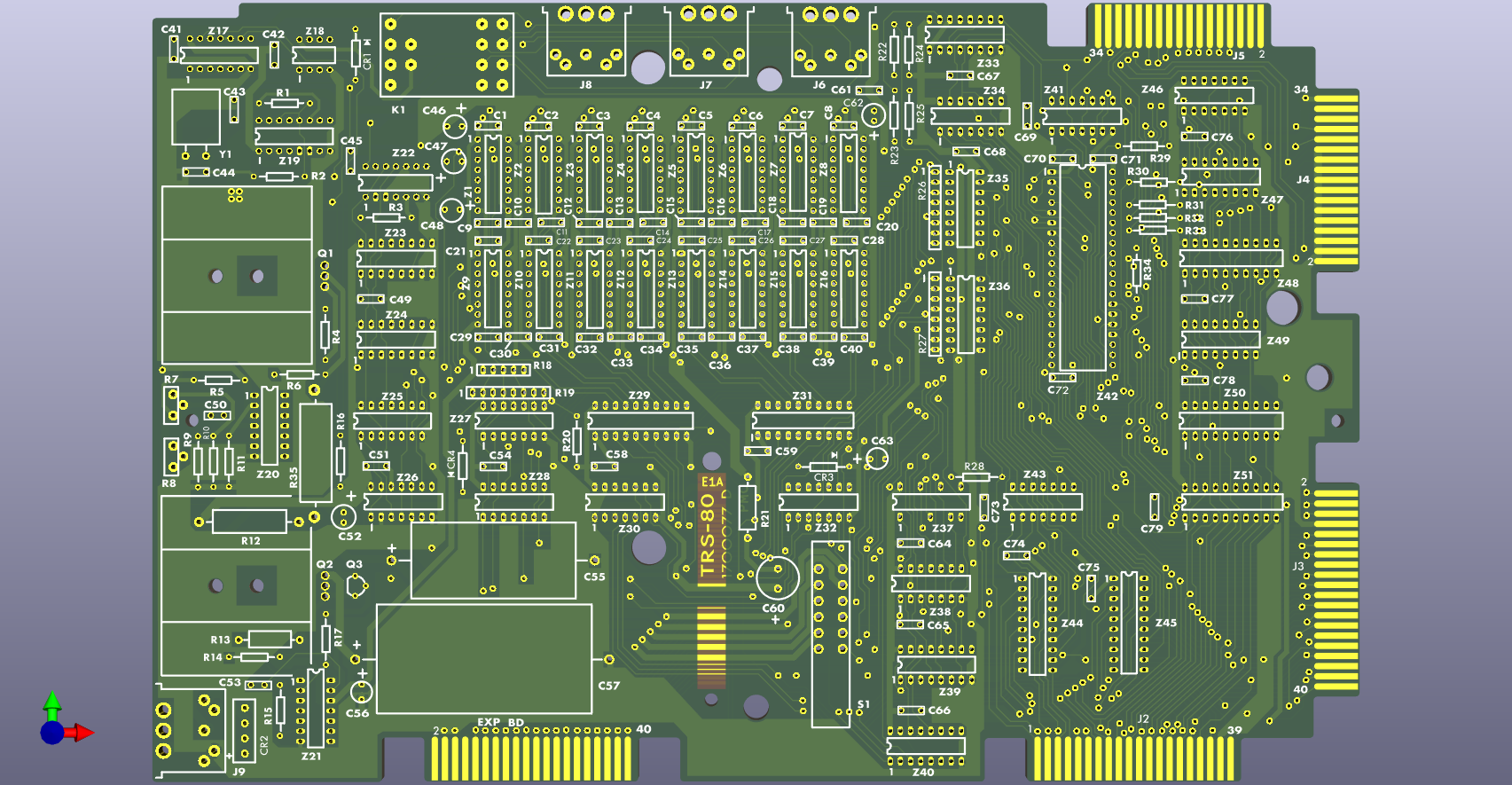
Marcel Erz of RetroStack has released the full schematic, Gerber files for the common manufacturers, and a complete BOM for his reverse engineered and updated version of the TRS-80 Model I Expansion Interface.
You can read all about it at https://www.patreon.com/RetroStack/posts/trs-80-model-1-d-162928605
July 2, 2026 - H-DOS (Genie) and Banker Hardware Hack
The prolific Eghbert Azure has provided more links
- H-Dos for the Genie at https://github.com/Egbert-Azure/TRS80M1/blob/main/diskimages/GDos/hdos.md
- A banker hardware hack he made to his Model I at https://github.com/Egbert-Azure/TRS80M1/blob/main/hardware/model1-tuneup-1992.md
Older News
Older news can be found here ...