Virtual Tape Utilities
Page Index
Repair WAV's and Convert Between MANY File Formats
Introduction:
Reading and Writing tapes does not require a special utility in and of itself. Audacity, Goldwave, or any other audio recording software will work, because tapes are, in fact, just audio. There is a page devoted to how to read TRS-80 tapes into WAV format here.
What is the issue, is what to do with a WAV file once you have it. That is what this page is for. It has utilities that will convert WAVs to CAS format for use in an emulator, and back again. It has utilities that will convert high speed (1500 baud) tapes to Level II (500 baud) or even Level 1 (250 baud) and back again.
Web Page Version:
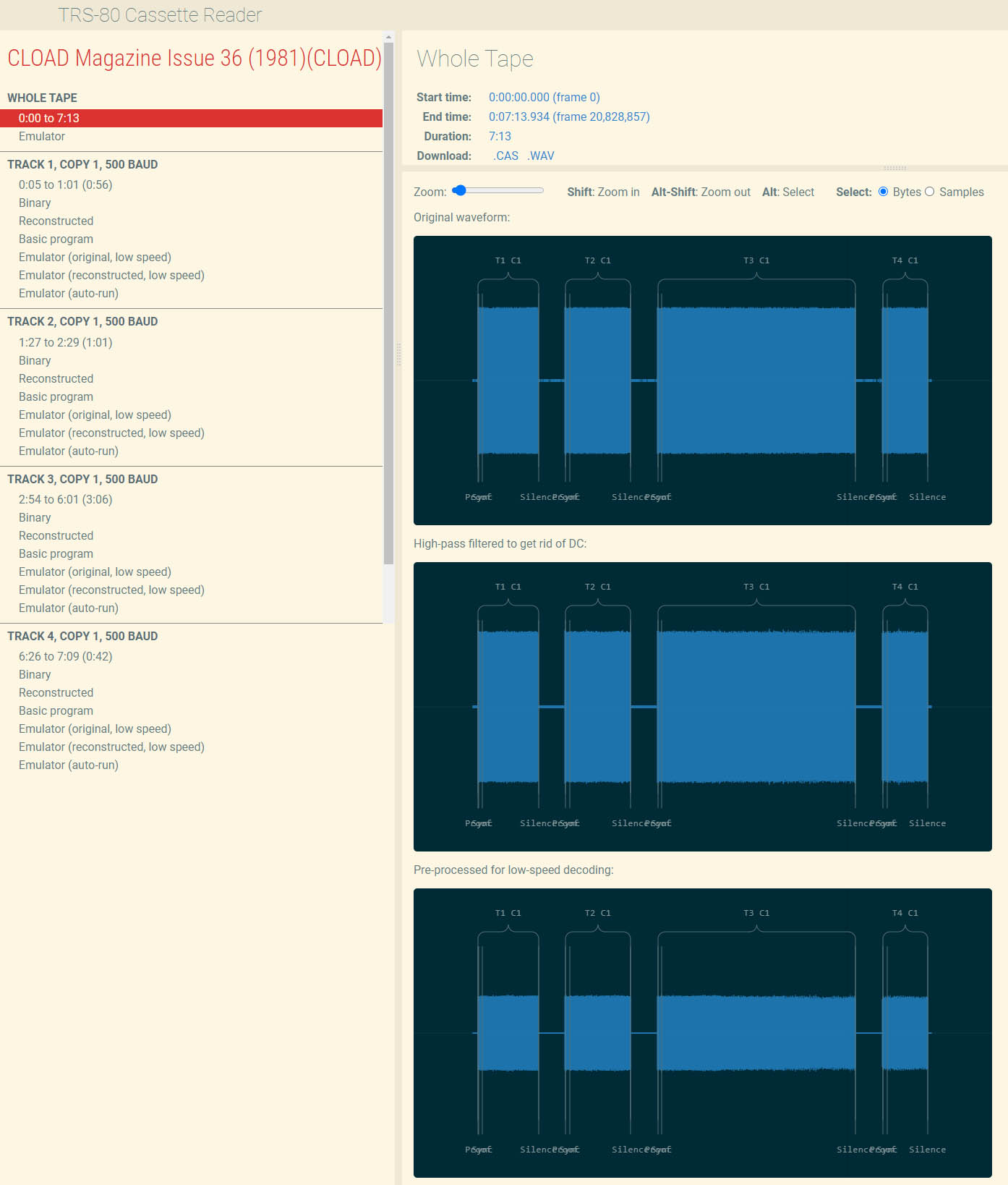
This utility is in the form of an extremely powerful web page.
The web page can be found at https://www.my-trs-80.com/cassette/. You can drag and drop a WAV, CAS, or BAS file and from there see the individual pulses of the WAV (original and filtered). You can click on the BASIC or Machine Language output listing and see the individual clock pulses in the WAV which gave rise to whatever you are pointing to. You can run the program in a virtual emulator in the browser. And, of course, you can export the corrected WAV to WAV, BAS, Binary, or CAS.
Source can be downloaded from GITHUB.
Standalone Version:
The standalone version of this tool has expanded way beyond this function, so it is discussed on the Multi-Utilities Page.
From a cassette features standpoint, the command line tool does the following:
Cassette Inspection and Extraction
- File identification: Identifies CAS images, WAV recordings, and cassette program formats, reporting embedded filenames and encoding information when available.
- WAV information: Displays additional recording metadata with
info --verbose. - Automated cataloging: Exports file information in JSON format with
info --json. - Cassette directory listings: Lists programs and their baud rates within CAS images and WAV recordings, including multi-program cassettes.
- Program extraction: Extracts individual programs from CAS images or WAV recordings into an existing directory. Supports lowercase output filenames and adds suffixes to avoid collisions between filenames differing only in case.
Cassette Conversion and Creation
- WAV decoding: Reads cassette recordings at any sampling rate, with 8-bit or 16-bit samples and mono or stereo audio.
- WAV-to-CAS conversion: Converts recorded cassette audio into compact CAS images that retain cassette synchronization information and high-speed start bits.
- WAV generation: Creates cassette audio from BASIC programs, cassette machine-code files, CAS images, and supported disk-format programs.
- Multi-program cassette creation: Combines multiple programs or existing cassette contents into a single CAS image or WAV recording.
- Disk-to-cassette conversion: Extracts files from supported floppy images for cassette output, including WAV generation. Converting a file does not guarantee that a program requiring disk services will run from cassette.
- Baud-rate selection: Preserves the input cassette speed when known, defaults to 500 baud when it cannot determine a speed, and allows an explicit override with
--baud, including 1500-baud output. - High-speed CAS compatibility: Reads high-speed CAS images whose stored data is not byte-aligned.
Program Formats and Editing
- Machine-code conversion: Converts disk-format
.CMDprograms to cassette-format.3BNfiles. - BASIC conversion: Reads tokenized and plain-text BASIC, exports readable
.ASClistings, writes tokenized.BASfiles, and converts supported BASIC programs for cassette output. - Level I support: Reads 250-baud
.L1cassette files containing BASIC or system programs from Level I Model I or Model III machines. - Execution-address repair: Reports a guessed start address for system programs lacking one and allows an explicit address with
--start ADDRESSor automatic selection with--start auto. - Raw-binary conversion: Converts
.ROMand.BINfiles to cassette machine-code format, using--startto specify both the load and execution addresses. - EDTASM text export: Converts supported EDTASM files to readable
.ASCtext.
Assembly, Disassembly, and Testing
- Assembly to cassette formats: Assembles Z80 source directly into
.3BN,.CAS, or.WAVfiles, with optional assembly listings and selectable cassette baud rates. - Cassette disassembly: Disassembles machine-code programs directly from CAS images, WAV recordings, or standalone
.3BNfiles. For multi-program cassettes, only the first program is disassembled. - Disassembly control: Produces assembly source or formatted listings and accepts additional code entry points through
--entryto help analyze relocated or otherwise unrecognized code. - Emulator cassette mounting: Mounts a cassette with
run --mount in.casfor use in the terminal-based TRS-80 emulator. One cassette can be mounted at a time, alongside floppy images.
Outputting CAS Files
Play CAS Utility v2.0
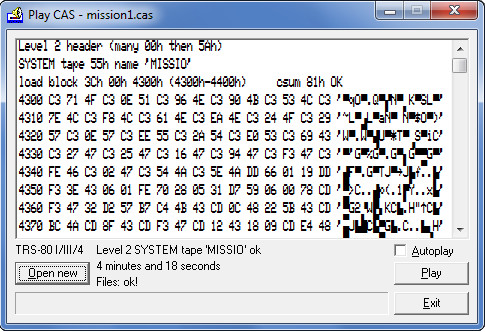
Use your PC as a cassette player for your TRS-80 Model I/III/4 Level I and II by connecting your TRS-80 cassette input ("Ear" Output) into the PC's headphones output.
Supports Level 1 (250 Baud), Level II (500 Baud), LNW (1kHz), and Highspeed (1500 Baud) and SYSTEM, BASIC, EDTASM, LEVEL 1 SYSTEM, and LEVEL 1 BASIC files. It does NOT support Scripsit, or ASCII files.
Convert between File Formats
TRLD v1.5.2
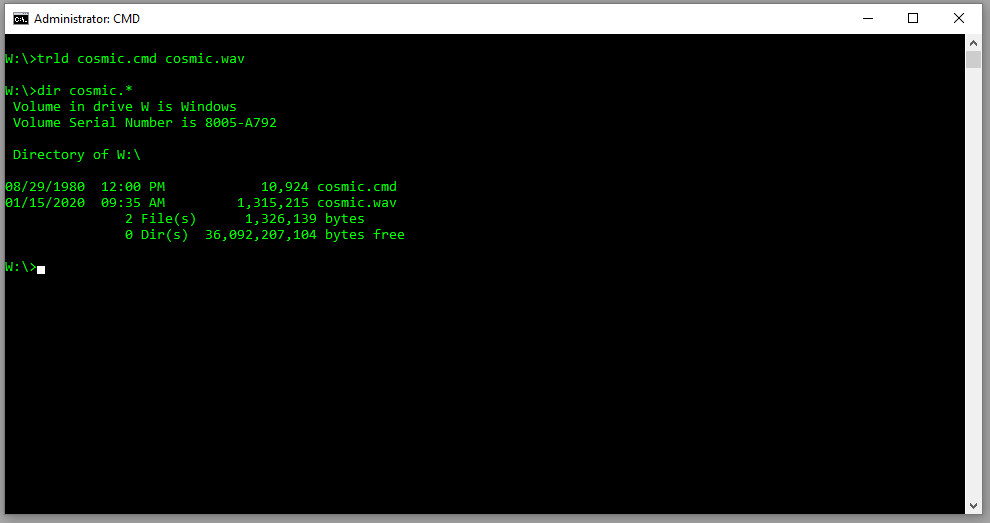
Reads one or more TRS-80 programs in .cmd, .cas, .hex or .bas format and saves them as a single .cmd, .cas, .wav, or .hex file. As input it supports 250, 500 and 1500 baud .cas cassette image files as well as tokenized and ASCII .bas BASIC program files. Output can be in .cmd, .cas, .hex or .wav (audio file) format.
One additional feature, the -s option, detects relocation code and cassette loaders, runs them and puts the resuls into the output file. For example, many disk executables (.cmd) start with a short block of code that copies the entire program to a different spot in memory and jumps to it. Similarly, a few games had their own custom cassette loaders. The first program on the cassette was a short loader program that would load the rest of the tape in some custom format.
Legacy Utilities
The following programs, while fine, have functionality which is now included in the modern utilities listed above.
CAS to WAV Utility
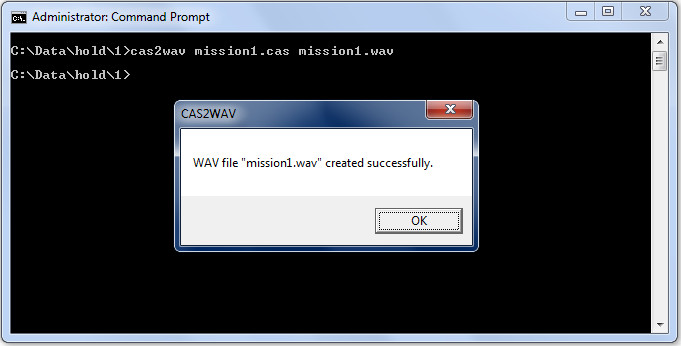
Convert a CAS file into a WAV for making a real TRS-80 cassette.
WAV 2 CAS

Convert WAV files to CAS. It accepts WAV files with any sample rate (11025 / 22050 / 44100) and format (float / 8-bit / 16-bit / stereo / mono), uses auto-detection mechanism to get clock frequency which depends on baud rate (model I level2 500baud, level1 250baud or model III highspeed 1500 baud). Requires Ruby v2.3 to be installed.
WAV to CAS Utility v2.0.0.2 (Bug Fix 2)
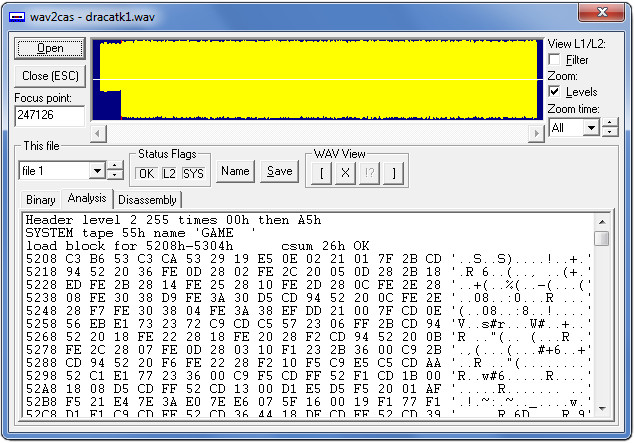
Wav2cas is a Windows program, run in a DOS window (or you can use drag'n'drop, dropping the wav file onto the wav2cas desktop shortcut icon), which takes an uncompressed Windows wav file (made from a Model I Level II (500 Baud), Model I Level 1 (250 baud), or Model III (1500 Baud) cassette tapes) and generates a cas file for use by TRS-80 emulators. Silent bits doesn't matter, so an entire tape can be converted (but header synchronization is only done once, so this is risky).
High/Low Cassette Converter
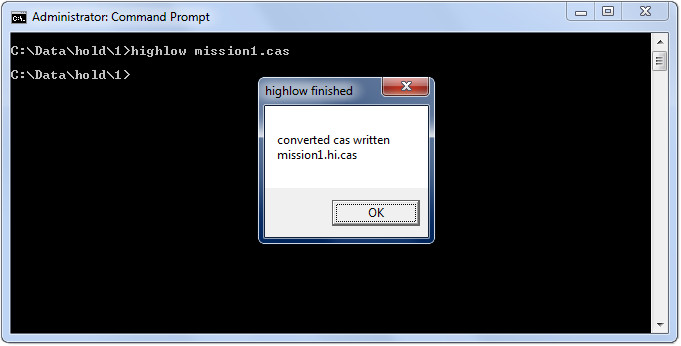
Highlow is a small utility for converting CAS files between Highspeed (1500 Baud) and Lowspeed (500 Baud). Since 1500 Baud includes a startbit, making the file contents unreadbale, it is useful for viewing the contents of a highspeed CAS file after a wav2cas_h conversion, to do a preliminary check for success or to get the name from a system tape. It can convert both ways and does so automatically. It can't handle multiple files in a CAS file so only single content CAS files may be used, and it must detect the header so it can't deal with fragments.
ACAS CAS Analyzer
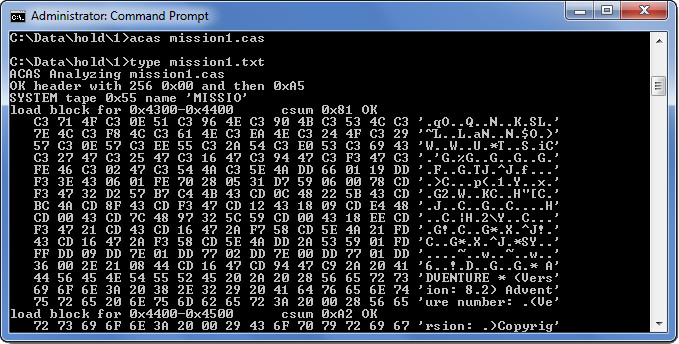
ACAS is another small utility, this time for checking the cas files. Actually it is a beta as it will be incorporated in another program but I decided that I would release this standalone version anyway. As it is now it will scan through a cas file and find out what it can about it and output what it thinks to a txt file with the same path and name.
CASS80 (Source)
Cass80 is a tool by Jurgen Buchmuller to load, analyze, disassemble or list, modify, and save EACA Colour-Genie 2000 and Video-Genie 3003 (which was a TRS-80 clone) cassette images. Cass80 can be downloaded from https://github.com/pullmoll/cass80.